RTX 5090 + i9-14900K Bottleneck: Does the 14900K Hold Back Blackwell?
The Short Answer
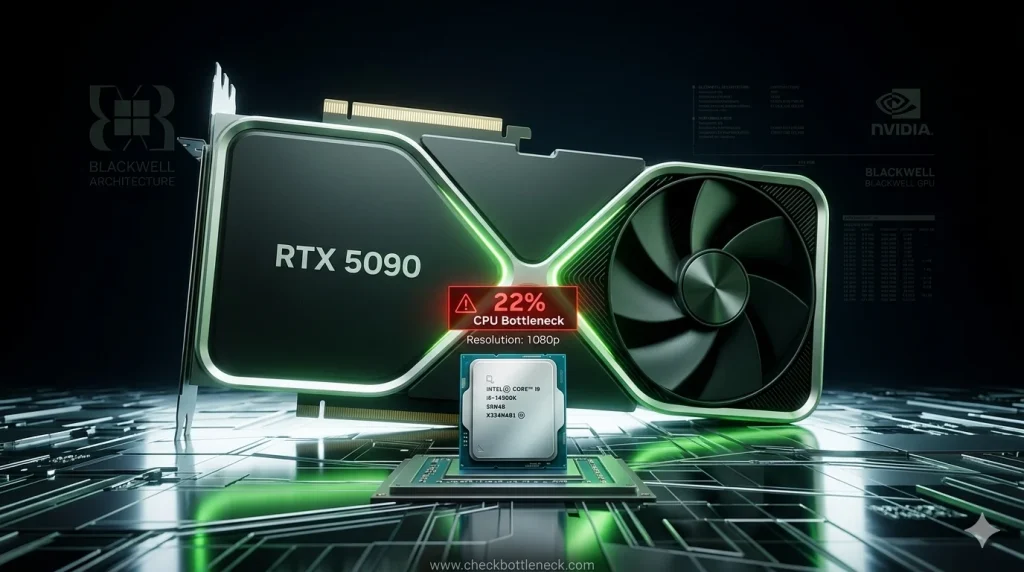
No — the i9-14900K does not meaningfully bottleneck the RTX 5090 where this pairing is meant to be used. At 4K the GPU is the limit and the two are well balanced; at 1440p high-refresh the pairing is still excellent. Only at 1080p, chasing extreme frame rates, can the 14900K cap the RTX 5090 — and there the GPU is simply too fast for the resolution.
Below: how the balance shifts with resolution, why it happens, and the free fixes that get the most out of this flagship combo.
Check Your Exact Build
Running this exact pairing? Resolution, RAM speed, and background load change the real answer for your system. Run your full build through our free bottleneck calculator — it checks CPU, GPU, RAM, and storage together and tells you which component is actually holding you back.
RTX 5090 i9-14900K Bottleneck by Resolution
Resolution is the biggest factor: the higher it is, the harder the GPU works per frame, and the more breathing room the CPU gets.
| Resolution | Which component limits you | Verdict |
|---|---|---|
| 1080p | CPU can cap maximum frame rates | Noticeable only at very high refresh rates |
| 1440p | Balanced — shifts with the game | Well matched for high-refresh gaming |
| 4K | GPU is the limit | Excellent pairing — recommended resolution |
1080p: The CPU Can Cap Frames
At 1080p the RTX 5090 renders frames so quickly that the i9-14900K can become the limiting factor — particularly in competitive titles pushing several hundred FPS. GPU utilization drops because the GPU waits on the CPU. For a card of this class, 1080p is simply the wrong resolution.
1440p: The Sweet Spot
At 1440p the workload balances out: the GPU works hard enough per frame that the 14900K keeps pace in the vast majority of games — a genuinely good match for high-refresh monitors.
4K: The GPU Is the Limit
At 4K the RTX 5090 is fully loaded rendering each frame, and the i9-14900K has ample headroom to prepare scene data. GPU utilization stays high and frame pacing is smooth. If you own this combination, 4K is where it earns its price.
Why Even the i9-14900K Can Cap the RTX 5090
To understand what a CPU bottleneck actually is, picture the frame pipeline: the CPU handles game logic, physics, and AI, then issues draw calls telling the GPU what to render. Every frame passes through the CPU first.
Much of this per-frame work is sequential — it can’t be split across cores. The i9-14900K has 24 cores, but when a game engine’s main thread hits its speed ceiling, extra E-cores don’t help. Meanwhile the RTX 5090 renders a 1080p frame in a fraction of a millisecond. When the GPU finishes faster than the CPU can prepare the next frame’s data, the GPU idles — that’s the bottleneck: a property of CPU architecture, not a flaw in the 14900K.
Spec Snapshot: RTX 5090 vs RTX 4090 + i9-14900K Core Config
Public specifications from NVIDIA and Intel, for context on how far ahead the RTX 5090 sits:
| Specification | RTX 5090 | RTX 4090 |
|---|---|---|
| Architecture | Blackwell | Ada Lovelace |
| VRAM | 32GB GDDR7 | 24GB GDDR6X |
| CUDA cores | 21,760 | 16,384 |
| Total graphics power | 575W | 450W |
| Interface | PCIe 5.0 x16 | PCIe 4.0 x16 |
| Upscaling / frame gen | DLSS 4 with Multi Frame Generation | DLSS 3.5 |
| i9-14900K specification | Value |
|---|---|
| Cores / threads | 24 cores (8 Performance + 16 Efficient) / 32 threads |
| Max boost clock | Up to 6.0 GHz (P-cores) |
| Cache | 36MB Intel Smart Cache |
| Base / max turbo power | 125W / 253W |
| Socket / memory | LGA1700 · DDR4 and DDR5 support |
| PCIe support | PCIe 5.0 x16 for the GPU slot |
The takeaway: the i9-14900K feeds the RTX 5090 over a full PCIe 5.0 x16 link — interface bandwidth is not a concern — and its 6.0 GHz boost is exactly the single-threaded speed a fast GPU needs.
Where You’ll Actually Feel It: Bottleneck by Game Type
Resolution sets the baseline, but the game decides which component works harder:
| Workload | Limiting component | Notes |
|---|---|---|
| Esports titles at 1080p (CS2, Valorant) | CPU | Frame rates CPU-capped; GPU underutilized |
| AAA rasterized games at 1440p/4K | GPU | Balanced; GPU does the heavy lifting |
| Ray-traced AAA at 4K | GPU | Heavy GPU load; CPU has headroom |
| Path-traced games (Alan Wake 2, Cyberpunk RT Overdrive) | GPU | CPU essentially irrelevant; use DLSS |
| CPU-heavy sims & strategy (Microsoft Flight Simulator, Cities: Skylines, Total War) | CPU | Simulation/draw-call heavy; even flagships feel it |
| Gaming + streaming/recording | Balanced | 16 E-cores absorb background encoding |
| Video editing / 3D rendering | Neither | 24 threads + 32GB VRAM: strong creator combo |
5 Free Fixes for the RTX 5090 + i9-14900K Bottleneck
If you’re seeing signs of a CPU limit, work through these before spending money. For the full methodology, see our guide on how to fix a CPU bottleneck.
- Play at 1440p or 4K. The single most impactful change — raising resolution loads the GPU and rebalances the pairing toward the GPU-bound side, where it belongs.
- Enable DLSS 4 with Multi Frame Generation. On RTX 50-series cards it synthesizes extra frames with AI, multiplying perceived smoothness without adding CPU load — the most effective tool for this pairing’s CPU cap at lower resolutions.
- Run DDR5 in dual-channel with XMP enabled. Slow or single-channel RAM is a hidden extra bottleneck stacked on top. Use DDR5-6400 or faster, two matched sticks, and verify XMP is enabled in BIOS — it often isn’t by default.
- Update your motherboard BIOS. Intel’s 13th/14th-gen CPUs were affected by an instability issue fixed via a microcode update. An outdated BIOS can cause crashes and degraded boost behavior that looks like a bottleneck but isn’t. Update before diagnosing anything else.
- Cut background load and enable Hardware-Accelerated GPU Scheduling. Close browser tabs, overlays, and sync apps while gaming; enable HAGS and Game Mode in Windows so CPU scheduling prioritizes the game thread.
Important for 14900K Owners: Update Your BIOS First
Intel confirmed elevated instability reports on 13th and 14th-generation desktop CPUs — including the i9-14900K — caused by excessive voltage requests (Vmin Shift), and released a microcode fix distributed through motherboard BIOS updates, alongside an extended warranty for affected chips.
If your 14900K crashes or won’t hold its boost clocks, suspect this issue before blaming the pairing: install your motherboard’s latest BIOS with the updated Intel microcode, then re-test.
How to Measure Your Own Bottleneck in 4 Steps
Calculator estimates are a starting point — here’s how to confirm what’s actually happening in your system. If you want background on how accurate bottleneck calculators are, read that first.
- Install CapFrameX and HWiNFO64 (both free) and set up an RTSS overlay showing GPU utilization, CPU per-thread utilization, and frame rate.
- Play your actual game for 3–5 minutes in a demanding scene — not a menu. Record average FPS, 1% lows, and GPU utilization.
- Read GPU utilization. Consistently below ~95% with one or more CPU threads maxed out = CPU-limited. GPU pinned near 99–100% = balanced and GPU-bound — the ideal state.
- Run the DLSS confirmation test. Switch between DLSS Quality and Performance (or native vs. DLSS). If frame rates barely move when you lower the GPU’s load, the CPU is the ceiling. If FPS scales up strongly, the GPU was the limit.
Should You Upgrade the i9-14900K for the RTX 5090?
For most owners, no. At 1440p and 4K the 14900K keeps up — spend the money on a better monitor, faster DDR5, or games instead. Upgrade only if:
- Competitive 1080p gaming at very high refresh rates: a Ryzen 7 9800X3D feeds the 5090 faster in cache-sensitive titles — but a 1440p/4K monitor fixes the imbalance and improves visuals for less.
- Heavy mixed workloads: a Ryzen 9 9950X3D or Core Ultra 9 285K is more efficient for gaming + rendering, though 4K gaming gains are marginal.
- Remember the platform cost: LGA1700 is a dead-end socket, so any Intel upgrade means a new motherboard (and possibly new RAM). Factor that in.
If you’re weighing AMD alternatives, our RTX 4080 + Ryzen 7 7800X3D bottleneck analysis shows how 3D V-Cache changes the CPU/GPU balance — the same principle applies at the 5090 tier.
RTX 5090 + i9-14900K FAQ
Does the i9-14900K bottleneck the RTX 5090?
Not in any meaningful way at 1440p or 4K — the pairing is well balanced where the RTX 5090 is meant to be used. Only at 1080p with very high frame-rate targets can the 14900K cap performance, and that’s a sign the resolution is too low for the GPU, not that the CPU is weak.
Is the RTX 5090 + i9-14900K good for 4K gaming?
Yes — one of the best 4K gaming combinations available. The GPU is fully loaded and becomes the limiting factor, which is exactly what you want.
Should I upgrade my i9-14900K to a Ryzen 7 9800X3D for the RTX 5090?
Only if you mainly play competitive titles at 1080p high-refresh, where the 9800X3D’s 3D V-Cache delivers higher frame rates. At 1440p and 4K the difference shrinks to where a full platform swap (new motherboard and RAM) is hard to justify.
What RAM should I pair with an RTX 5090 and i9-14900K?
32GB (2×16GB) of DDR5-6400 or faster in dual-channel mode, with XMP enabled in BIOS. Faster kits can help 1% lows in CPU-sensitive games; beyond 32GB only matters for heavy creative work.
What PSU do I need for an RTX 5090 + i9-14900K build?
A quality 1000W or higher ATX 3.1 unit from a reputable brand. The RTX 5090 can draw 575W and the 14900K up to 253W under full load, and transient power spikes demand headroom. Make sure it includes native 12V-2×6 cabling for the GPU.
Does DLSS 4 Frame Generation reduce a CPU bottleneck?
Effectively, yes. Multi Frame Generation creates AI-interpolated frames on the GPU without extra CPU work per frame, so perceived smoothness rises even when the CPU can’t prepare more real frames. It doesn’t remove the underlying CPU limit, but it’s the best free mitigation for this pairing.
Is the i9-14900K still worth keeping in 2026 with an RTX 5090?
Yes, if you already own it. Its 6.0 GHz boost and 24-core design remain competitive for feeding a 5090 at 1440p/4K — just update your BIOS with Intel’s microcode fix, ensure your cooling handles sustained loads (a 360mm AIO is recommended), and game at a resolution that lets the GPU stretch its legs.
Final Verdict
The RTX 5090 + i9-14900K is a genuinely excellent pairing — one of the fastest gaming combinations you can build. The “bottleneck” only appears at 1080p, where the GPU is wasted regardless of CPU. Game at 1440p or 4K, enable DLSS 4, keep BIOS and XMP settings correct, and you’ll get everything this flagship duo can deliver.
Want the verdict for your exact configuration? Run it through our free bottleneck calculator.