Fortnite Bottleneck Calculator — CPU/GPU Guide for 144Hz & 240Hz Play` (primary keyword first)
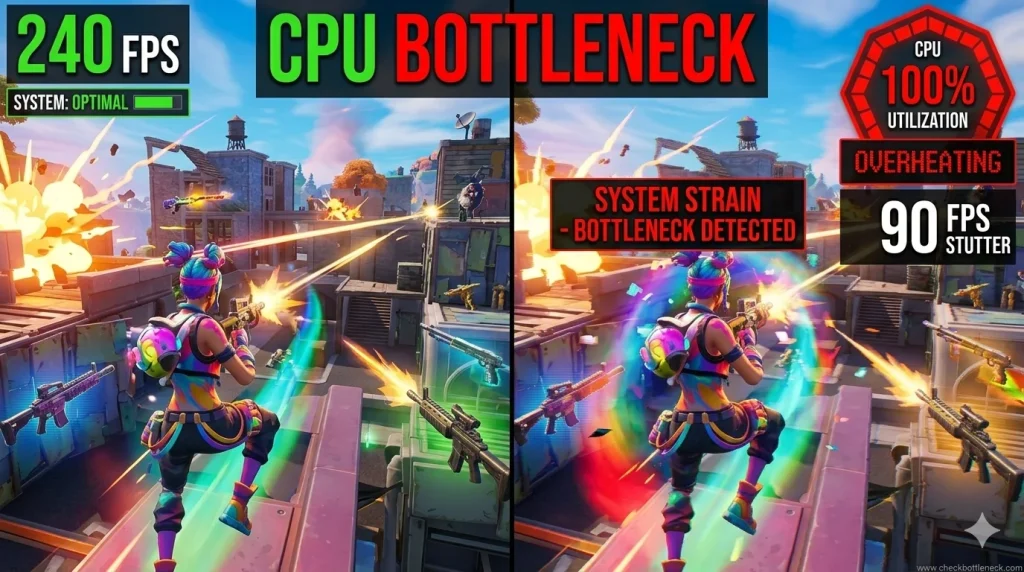
You bought a faster GPU, your Fortnite FPS barely moved, and now you’re wondering if the money was wasted. That frustration is the signature of a Fortnite bottleneck — one component capping your frame rate while the other sits idle. Run your combo through a Fortnite bottleneck calculator first: it takes seconds and tells you whether your CPU or GPU is the real limiter before you spend another dollar.
Fortnite is unusual. In competitive play — low settings, Performance Mode, 144Hz or 240Hz monitor — the CPU often does the heavy lifting, and a GPU upgrade on an old CPU delivers almost nothing. Below: how to identify your limiter, which hardware matters for your FPS goal, and settings tuned to your bottleneck.
Check your build first: open our free bottleneck calculator, select your CPU and GPU, and set the workload to competitive gaming at your resolution. The result tells you which component caps your Fortnite FPS — then use the sections below to fix it the right way.
What a “Fortnite Bottleneck” Actually Is
A bottleneck is simple: the slower of your two main components decides your frame rate. If your CPU can only prepare 120 frames per second of game logic while your GPU could render 240, you get 120 — and the GPU spends half its time waiting. If you’re new to the concept, our explainer on what a CPU bottleneck is covers the basics.
What makes Fortnite tricky is that the bottleneck moves: the same PC can be GPU-limited in the lobby or a heavy Creative map, then slam into a CPU limit in a stacked endgame. Diagnose under real match conditions — never on the menu screen.
Why Fortnite Punishes Weak CPUs (and When It Doesn’t)
In competitive play — 1080p, Performance Mode, low settings, high refresh target — Fortnite is heavily CPU-driven. Every build, edit, and player movement must be processed as game logic before the GPU draws anything. In a stacked endgame, dozens of players building and fighting at once turn the CPU into the ceiling. That’s why FPS collapses in the final circles on older processors even though the lobby felt smooth.
But Fortnite isn’t always CPU-bound. At higher resolutions with Epic settings, the GPU does far more work and can become the limiter — especially on weaker cards. Dense custom Creative maps can lean on the GPU too. The rule of thumb: the lower your settings and the higher your refresh-rate target, the more CPU-bound Fortnite becomes.
This is the opposite of a game like Cyberpunk 2077. As our Cyberpunk 2077 CPU bottleneck guide explains, that game is GPU-heavy — a bigger graphics card almost always helps. In competitive Fortnite, pairing a flagship GPU with a five-year-old CPU is one of the most common wasted upgrades in PC gaming.
Check Which Component Caps Your Fortnite FPS
Don’t guess — measure. Five minutes with an overlay shows exactly where your money should go:
- Install MSI Afterburner with the RivaTuner overlay. Enable on-screen monitoring for GPU usage, CPU usage, and frame rate.
- Play a ranked match and survive to a stacked endgame. Lobby numbers are meaningless — the bottleneck that costs you fights is the endgame one.
- Watch GPU usage during heavy build fights. If the GPU sits below roughly 85–90% usage while the CPU is maxed out, you have a CPU bottleneck.
- Check the reverse. GPU pinned near 99% with CPU headroom to spare means a GPU bottleneck — and a graphics upgrade will actually help.
- Confirm with a second opinion. Run the same combo through our CPU bottleneck calculator or the general PC bottleneck checker to sanity-check the overlay reading.
Best CPU Picks for Fortnite by Goal
Fortnite rewards strong single-thread performance and large cache far more than core count. Beyond six modern cores, extra cores buy you almost nothing in-game — they only help if you stream or record while playing.
Casual play (60–120 FPS, higher settings): a modern budget six-core is plenty. Chips in the Ryzen 5 5600 or Core i5-12400F class handle Fortnite at 1080p with room to spare.
Competitive 144Hz: step up to a current-generation six-core with high boost clocks — Ryzen 5 7600X or Core i5-13600K class. These keep frame times consistent through build fights and take the CPU out of the bottleneck equation at competitive settings.
Esports 240Hz: this is where cache-heavy chips shine. The Ryzen 7 7800X3D’s large 3D V-Cache is widely regarded as exceptional for Fortnite’s engine, delivering some of the most consistent frame times of any gaming CPU. Intel’s Core i7-14700K class is the alternative. Above this tier, spending more buys rapidly diminishing returns for Fortnite alone.
The mistake to avoid: an RTX 4070-class card on a 2017-era processor performs like a much cheaper card in Fortnite. Balance first, flagship second.
Best GPU Pairings for Fortnite by Goal
Match your GPU to your CPU tier and resolution — not to your ambitions. For competitive 1080p, an RTX 3060 / RX 6600-class card is the honest baseline; RTX 4060 / RX 7600-class cards serve 144Hz goals comfortably. The RTX 4070 / RX 7800 XT class is the sweet spot for 240Hz competitive settings. Beyond that, GPU upgrades hit diminishing returns because the CPU becomes the limiter.
If your overlay test showed a GPU bottleneck (GPU pinned near 99%, CPU relaxed), a graphics upgrade is the right move — see our GPU bottleneck guide. But if the GPU was loafing below 85% while the CPU screamed, a new card changes nothing. Fix the CPU side first.
One sanity check before buying: your monitor. A 144Hz panel can’t display more than 144 frames per second — chasing 240 FPS on one is wasted performance.
Fortnite Settings Checklist by Bottleneck Type
Generic “best settings” lists treat every PC the same. Tune based on your bottleneck instead.
If you’re CPU-bottlenecked, lower these first:
- View Distance — distance rendering is CPU-processed in Fortnite; lowering it directly unloads the processor.
- Shadows — shadow calculations hit the CPU hard; turning them down is one of the biggest CPU relief levers.
- Background applications — Discord video, browser tabs, and recording software compete for the same CPU threads as the game.
If you’re GPU-bottlenecked, lower these first:
- Textures and Anti-Aliasing — pure GPU load; the first things to drop.
- Post Processing and Effects — visual polish the GPU renders every frame.
- Render resolution / upscaling — try DLSS or FSR on supported cards before dropping resolution outright.
Performance Mode vs DirectX 11/12: Performance Mode strips visual work off the GPU and pushes the game toward the CPU — ideal for strong-CPU builds chasing max refresh. DX11/DX12 look better and lean on the GPU — better for balanced builds at 60–120 FPS. If you’re already CPU-bottlenecked, switching to Performance Mode can make the bottleneck worse, not better.
Whatever you change, test it in a real stacked endgame, not the lobby. The settings that survive the final circles are the only ones that matter.
Free Fixes Before You Buy Anything
- Enable XMP/EXPO and confirm dual-channel RAM. RAM at stock speeds or in single-channel mode quietly starves the CPU. 16GB is the minimum; 32GB is the comfort zone if you stream or multitask.
- Close background apps before ranked. Browser tabs, Discord video, and antivirus scans steal cycles from Fortnite’s game thread.
- Give shader cache time after patches. After a Fortnite update, the game recompiles shaders and stutters for a few matches. It looks exactly like a bottleneck but clears up on its own — don’t buy hardware over a patch week.
- Keep GPU drivers and Windows current, and disable Xbox Game Bar captures if you don’t use them — background recording holds GPU memory and adds frame-time cost.
For the full walkthrough, see our guide on how to fix a CPU bottleneck — most of these fixes cost nothing and take minutes.
Fortnite on a Laptop? Watch Out for Hidden Throttling
Laptops add a bottleneck no calculator shows: heat and power limits. A laptop CPU and GPU that look balanced on paper will throttle under sustained load — and Fortnite’s long sessions trigger exactly that. FPS that starts strong and degrades mid-session is the tell.
Play plugged in with Best Performance power plan, elevate the laptop for airflow, and cap background apps aggressively. For a laptop-specific assessment, run your specs through our laptop bottleneck calculator.
Frequently Asked Questions
Is Fortnite CPU or GPU intensive?
It depends on how you play. At competitive settings — 1080p, Performance Mode, low graphics, high refresh target — Fortnite is heavily CPU-intensive, especially in stacked endgames. At higher resolutions and Epic settings, it becomes more GPU-intensive. Most competitive players are CPU-limited, not GPU-limited.
What CPU do I need for 240 FPS in Fortnite?
You want a modern CPU with strong single-thread performance and large cache — the Ryzen 7 7800X3D class is the standout pick, with Intel’s Core i7-14700K class as the alternative. Equally important: dual-channel RAM and no background apps stealing CPU cycles.
How do I check if Fortnite is CPU bottlenecked?
Use MSI Afterburner’s overlay during a real ranked endgame. GPU usage below roughly 85–90% while the CPU is maxed out means a CPU bottleneck; GPU pinned near 99% with CPU headroom means a GPU bottleneck. You can also cross-check with a Fortnite bottleneck calculator before deciding on upgrades.
Should I use Performance Mode or DirectX 11/12 in Fortnite?
Choose based on your bottleneck. Performance Mode shifts load toward the CPU and maximizes frame rates — best for strong-CPU builds chasing 144Hz/240Hz. DX11/DX12 look better and lean on the GPU — better for balanced builds at 60–120 FPS. If you’re already CPU-bottlenecked, Performance Mode can worsen the bottleneck rather than fix it.
Why does my FPS drop in endgame but not in the lobby?
Your bottleneck is scenario-dependent. The lobby is light on game logic, so even a modest CPU keeps up. A stacked endgame floods the CPU with build physics, player replication, and combat calculations — that’s when a weak CPU becomes the ceiling. Always diagnose and test settings in real endgames, never in the lobby.
Will a better GPU fix my Fortnite FPS?
Only if the GPU is the actual limiter. If your overlay shows the GPU below ~85–90% usage while the CPU is maxed, a new graphics card will barely change your FPS — the CPU is the ceiling. Check first with the overlay method above or a bottleneck calculator; upgrading the wrong component is the most expensive mistake in this game.
Can a laptop run Fortnite without a bottleneck?
Yes, but thermals are the hidden enemy. Gaming laptops run Fortnite well at first, yet sustained sessions trigger thermal and power throttling that no parts list predicts. Play plugged in, maximize airflow, and use Best Performance mode to keep clocks steady.